
In this lesson, I will teach you how to make PowerPoint Presentation for seminar, your work or report.
First you need open the software Microsoft PowerPoint. Then right click and choose format background.

Choose Picture or texture fill, then select the picture you want to make background.

Then go to Insert menu > Shapes and click on triangle shape.

Click and drag mouse to draw a triangle.

Rotate 90 degree

Resize the shape, select shape and right click, choose format shape > picture or texture fill.

Then add a rectangle, go to insert menu > shapes > rectangle

Draw a rectangle, and rotate like this

Select rectangle, and choose fill color white, no shape outline.
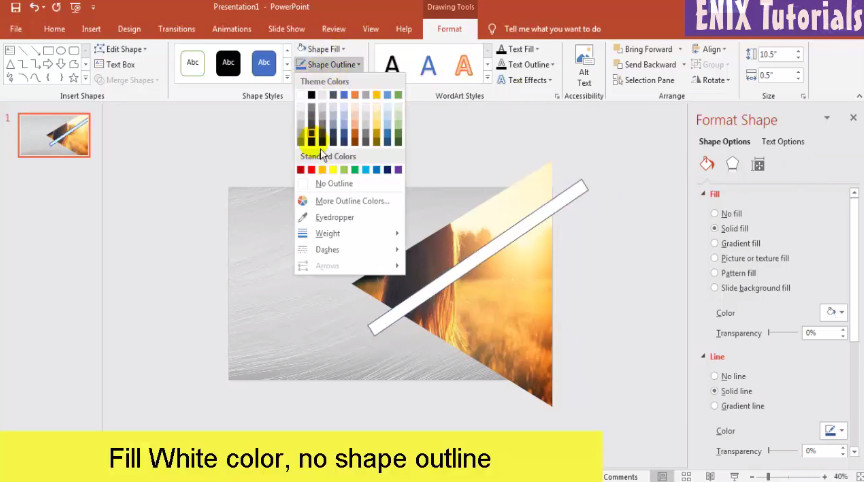
Then select this rectangle, copy and paste. Repeat this action several times

Repeat this action until finish.
Then you can insert some text title, change font, color and size. Add some icons if you want.
This is the result as below:

For more detail, please see this video for understand how to make PowerPoint presentation step-by-step. Thank you. See you again!
source: https://enixtutorials.blogspot.com/2019/11/in-this-lesson-i-will-teach-you-how-to_23.html
 Enix Tutorials